

Download Google Search – free, secure, instant web search tool
Overview
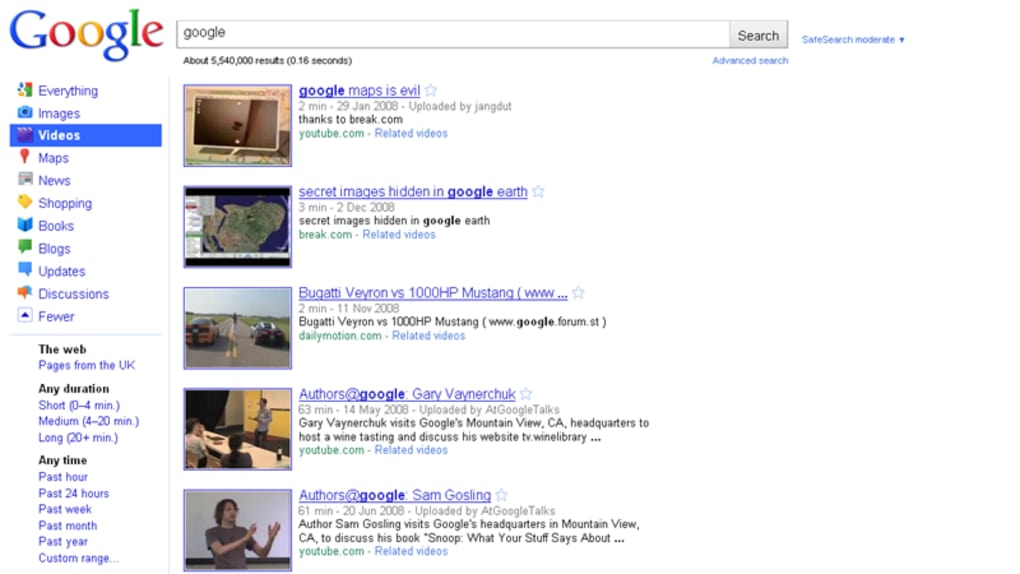
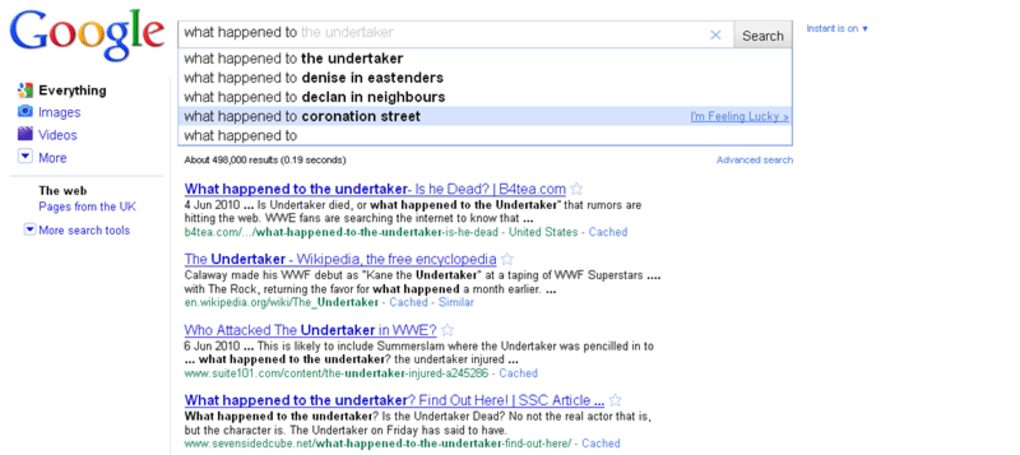
Google Search remains the undisputed giant of internet discovery, powering billions of queries every day. Its hallmark is an iconic, minimalist homepage that puts the search box front‑and‑center, allowing users to focus on what matters most—finding information quickly. The platform has evolved into an instant experience: results begin to appear the moment you start typing, saving time and reducing the number of keystrokes needed to reach the desired page. In addition to the classic web search, Google offers specialized tabs for images, videos, shopping, news, and even scholarly articles, making it a versatile tool for any research task.
Personalisation is another core strength. When you sign in with a Google account, the engine tailors results based on your browsing history, location, and language preferences. All of these settings are easily accessible via the gear icon in the top‑right corner, where you can adjust language, filter explicit content, enable SafeSearch, and control data‑saving options. For users who value privacy, Google provides straightforward toggles to disable history tracking or to delete past activity with a single click.
The search results themselves are known for relevance, speed, and a clean layout that presents snippets, featured cards, and direct answers without overwhelming the user. The endless scroll feature, introduced a few years ago, now loads additional results automatically as you scroll, eliminating the need for pagination and keeping the browsing flow uninterrupted. While competitors like Bing may excel in specific niches such as video discovery, Google’s overall breadth, reliability, and continuous innovation keep it at the top of the search hierarchy.
In short, Google Search is more than just a tool—it’s an ecosystem that combines speed, accuracy, and personalization within a secure, free platform that works across all major devices. Whether you’re on a desktop, laptop, tablet, or smartphone, the experience remains consistent, responsive, and continually updated to meet the ever‑changing demands of the web.
Core Features
- Instant Search: Real‑time suggestions and results appear as you type, reducing search time dramatically.
- Multi‑Modal Tabs: Dedicated sections for Images, Videos, News, Shopping, Maps, and Scholar, each optimised for its content type.
- Personalised Results: When logged in, Google tailors results based on your past searches, location, and language settings.
- SafeSearch & Content Filters: Easy toggles to block explicit content, ensuring a family‑friendly browsing experience.
- Endless Scroll: Automatic loading of additional results as you scroll, eliminating page‑turning friction.
- Voice Search Integration: Hands‑free queries via Google Assistant on Android, iOS, and desktop browsers.
- Rich Snippets & Knowledge Panels: Direct answers, definitions, calculators, and quick facts appear at the top of results.
- Search History Management: Full control to view, delete, or pause history recording from the Settings menu.
- Secure HTTPS Connection: All queries are encrypted, protecting user data from interception.
- Cross‑Platform Consistency: Identical interface and functionality across Windows, macOS, Android, and iOS.
These features collectively make Google Search a robust, flexible, and future‑proof tool. The integration of AI‑driven suggestions, such as the “People also ask” box, helps users explore related topics without needing additional queries. Moreover, the platform’s commitment to security—leveraging HTTPS by default—ensures that every search is encrypted, safeguarding personal data from potential eavesdropping.
For power users, Google also provides advanced operators (e.g., site:, filetype:, intitle:) that enable precise, granular searches across the web. These operators are especially useful for researchers, marketers, and developers who need to filter results quickly. Combined with the visual tools like “Image Search by Image”—where you can upload a picture to find similar visuals—the suite of features addresses both everyday queries and specialised investigative tasks.
The seamless integration with other Google services (Docs, Drive, Calendar) further enhances productivity. For instance, searching for a document you own can be performed directly from the search bar, and the result will surface the relevant file from Drive, complete with preview options. This interconnectedness reinforces Google’s position as a central hub for both information discovery and personal workflow management.
Installation, Usage & Compatibility
How to Get Started
Unlike traditional desktop software, Google Search is a cloud‑based service accessed via any modern web browser. To begin, simply navigate to google.com. No download or installation is required for the web version, making it instantly available on Windows, macOS, Linux, and ChromeOS devices. For mobile users, the Google Search app can be downloaded for free from the Google Play Store (Android) and the Apple App Store (iOS). The app provides the same instant search experience, plus offline voice search capabilities and quick access to Google Lens for visual queries.
Step‑by‑Step Installation (Mobile)
- Open the Google Play Store (Android) or App Store (iOS).
- Search for “Google” or “Google Search”.
- Tap Install (Android) or Get (iOS) and confirm any required permissions.
- Once installed, launch the app and sign in with your Google account to enable personalized results.
- Configure preferences via the Settings gear icon: adjust language, SafeSearch, and history controls.
For desktop users who prefer a dedicated shortcut, browsers like Chrome and Edge allow you to pin Google Search as an app. In Chrome, click the three‑dot menu → “More tools” → “Create shortcut…”, then select “Open as window”. This creates a minimal window that behaves like a native application while still being powered by the web.
Operating System Compatibility
Google Search works flawlessly on all major operating systems:
- Windows 10/11 – Access via Edge, Chrome, Firefox, or any modern browser.
- macOS Ventura and later – Safari, Chrome, or Firefox provide full functionality.
- Linux distributions – Any up‑to‑date browser (Chrome, Firefox, Brave) supports the service.
- Android 8.0+ – Google Search app delivers native performance and voice integration.
- iOS 13+ – The iOS app offers seamless synchronization with Safari and other Apple services.
Because the service runs in the cloud, updates are automatic and invisible to the user. New features—such as AI‑driven answer boxes or improved image recognition—are rolled out server‑side, ensuring that every device instantly benefits from the latest enhancements without manual patches or version checks.
Best Practices for Efficient Use
To maximize productivity, consider the following tips:
- Use quotation marks (“ ”) to search for exact phrases.
- Employ the
site:operator to limit results to a specific domain. - Activate “Search History” only if you want personalised results; otherwise, keep it off for privacy.
- Leverage the “Tools” dropdown to filter results by time range, location, or content type.
- Try voice search for hands‑free queries, especially on mobile devices.
By following these steps, users can enjoy a frictionless, secure, and highly personalised search experience on any device, whether they are at home, in the office, or on the go.
Pros & Cons
Pros
- Instant, real‑time results reduce search time.
- Extensive feature set covering web, images, videos, news, shopping, and more.
- Highly accurate algorithm with AI‑driven suggestions.
- Seamless integration with Google ecosystem (Gmail, Drive, Maps).
- Robust privacy controls and easy history management.
- Free to use with no hidden fees.
- Cross‑platform consistency on Windows, macOS, Android, and iOS.
- Secure HTTPS encryption for all queries.
- Endless scroll provides uninterrupted browsing.
- Voice search and Google Lens enhance accessibility.
Cons
- Personalisation can lead to filter bubbles if history isn’t managed.
- Heavy reliance on Google account may raise privacy concerns for some users.
- Advanced search operators have a learning curve for casual users.
- Ads appear alongside organic results, which can be distracting.
- Video search, while solid, is still outperformed by specialized competitors like Bing.
- Occasional algorithm updates can temporarily affect ranking consistency for content creators.
Overall, Google Search delivers a fast, reliable, and feature‑rich experience that meets the needs of both everyday browsers and power users. Its minor drawbacks are outweighed by the depth of its ecosystem and constant innovation.
FAQ & Conclusion
Is Google Search free to use?
Yes, Google Search is completely free. There are no subscription fees or hidden costs for using the web, image, video, or news search features.
Can I use Google Search without a Google account?
Absolutely. You can perform searches anonymously, but you will miss out on personalised results, synced history, and access to certain Google services like Drive integration.
How does Google protect my search privacy?
All queries are transmitted over HTTPS, encrypting the data in transit. Users can also turn off Search History, delete past activity, and enable Incognito/Private browsing modes for added privacy.
What devices are compatible with Google Search?
Google Search works on any modern web browser across Windows, macOS, Linux, ChromeOS, Android, and iOS. Dedicated mobile apps are available for Android 8.0+ and iOS 13+.
Can I customize the search results page?
Yes. Through the Settings gear icon you can adjust language, SafeSearch, results per page, and even turn off personalized results if desired.
Conclusion
Google Search continues to set the benchmark for online discovery, offering a blend of speed, relevance, and a feature set that adapts to every user’s needs. Its instant results, deep integration with the broader Google ecosystem, and cross‑platform availability make it the go‑to tool for anyone looking to locate information quickly and securely. While the occasional concerns about data privacy and ad placement exist, the platform provides ample controls to manage these aspects effectively.
If you’re ready to experience the most powerful, free, and secure web search solution available today, simply visit Google.com or download the Google Search app for Android or iOS. Start searching smarter, faster, and more confidently—download Google Search now and unlock the full potential of the internet at your fingertips.



.png)



